
Accounting Assistant Resume Examples for 2026: Complete Guide & Tips
An Accounting Assistant resume needs to show that you can be trusted with the small details that keep a finance team accurate: invoices entered correctly, payments matched, records filed cleanly, spreadsheets reconciled, and month-end tasks completed without creating extra work for the accountant or finance manager.\n\nFor entry-level and junior candidates, the Accounting Assistant keyword matters, but the real goal is sharper than that. Your resume should make a hiring manager feel comfortable giving you real financial records, vendor emails, receipts, payroll support tasks, bank statements, and accounting software access.
Read the job posting like a finance checklist
Most Accounting Assistant, Accounts Assistant, Finance Assistant, Bookkeeping Assistant, and Accounting Clerk job posts describe the same core need in different language: someone who can keep financial administration organized, accurate, and moving on schedule.\n\nWhen you read a posting, look for clues in four areas.\n\nDaily transaction work:\nCommon phrases include invoice processing, data entry, accounts payable, accounts receivable, expense reports, purchase orders, payment allocation, bank deposits, cash receipts, and credit card reconciliation. Your resume should show examples of handling records carefully, checking totals, following approval steps, and spotting discrepancies.\n\nSoftware and spreadsheet expectations:\nMany employers mention QuickBooks, Xero, Sage, NetSuite, SAP, Oracle, Microsoft Excel, Google Sheets, payroll systems, point-of-sale systems, or document management tools. Do not list software you cannot use. Instead, show your real level: entered bills in QuickBooks, reconciled spreadsheet totals in Excel, exported reports from Xero, or maintained vendor files in an ERP system.\n\nMonth-end and recordkeeping support:\nLook for phrases such as month-end close, journal entry support, reconciliations, audit preparation, filing, documentation, account coding, and general ledger support. Entry-level candidates do not need to claim full ownership of the close process, but they can show that they prepared schedules, checked invoices, matched statements, or organized backup documents.\n\nCommunication and confidentiality:\nAccounting assistants often contact vendors, customers, employees, department managers, and external bookkeepers. Your resume should show professional communication, careful follow-up, and discretion with sensitive financial information.
What employers want to see before the resume details
A junior accounting resume should quickly answer these questions:\n\nCan this person enter and check financial information accurately?\nCan they use Excel or accounting software without constant hand-holding?\nWill they follow approval procedures before paying, posting, or changing records?\nCan they communicate with vendors, customers, and internal teams politely?\nWill they protect confidential payroll, banking, tax, and employee information?\nCan they handle routine tasks without losing track of deadlines?\n\nYour opening summary, skills section, and first few bullets should point to those answers. For an Accounting Assistant, trust is built through accuracy, organization, and process discipline. That means your resume should include words such as reconciliation, invoice coding, payment matching, vendor records, account statements, purchase orders, expense reports, filing, data entry, spreadsheet checks, and month-end support when they match your experience.
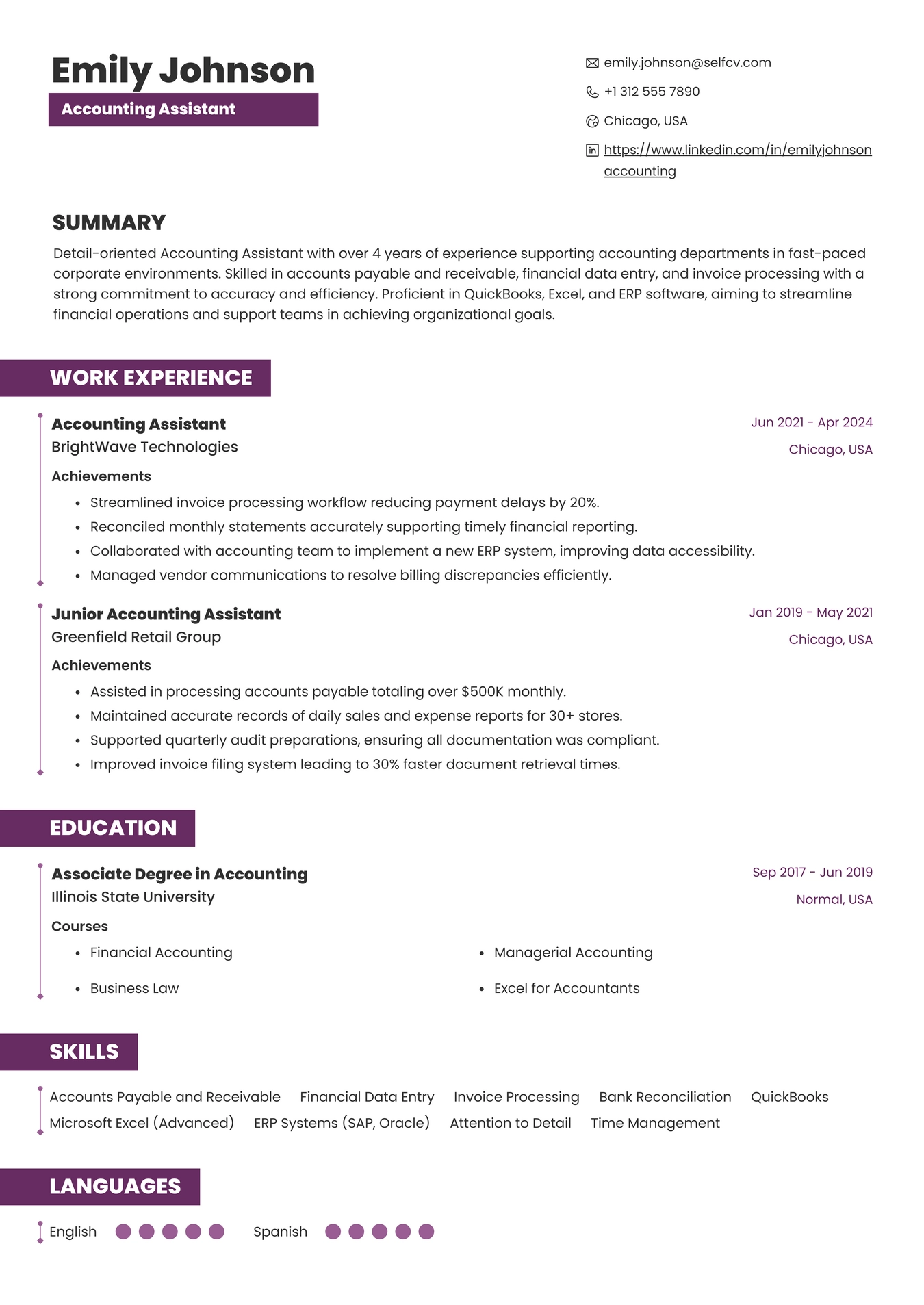
Resume Example for Accounting Assistant
Build the resume around accuracy, pace, and follow-through
The best format for most entry-level and junior Accounting Assistant candidates is a clean reverse-chronological resume. It lets employers see your most recent office, finance, retail, customer service, administrative, or bookkeeping-related experience first.\n\nRecommended section order for an entry-level Accounting Assistant:\nContact information and target title\nResume objective or short professional summary\nAccounting, Excel, and office skills\nEducation or relevant coursework\nInternships, part-time work, volunteer bookkeeping, or administrative experience\nProjects, training, or certifications\nAdditional languages or availability if relevant\n\nRecommended section order for a junior Accounting Assistant with some finance experience:\nContact information and target title\nProfessional summary\nCore accounting skills\nProfessional experience\nEducation\nCertifications or accounting software training\nOptional sections such as payroll exposure, industry experience, or volunteer treasurer work\n\nKeep the layout simple. Accounting hiring managers are not looking for visual tricks. They need a readable document with consistent dates, clear job titles, plain bullet points, and no unexplained gaps in responsibility. Use a professional file name, proofread every number, and make sure your own contact details are error-free. A typo in a phone number or date can hurt more in accounting than in many other fields because accuracy is part of the job.
Accounting Assistant resume example for a junior candidate
Maya Collins\nJunior Accounting Assistant\nAuckland, New Zealand | Open to hybrid and office-based finance roles\n\nProfessional Summary:\nDetail-oriented Junior Accounting Assistant with experience supporting accounts payable, accounts receivable, invoice entry, bank reconciliation preparation, vendor record updates, and Excel-based financial tracking. Comfortable with QuickBooks Online, Xero, Microsoft Excel, Google Sheets, document filing, and confidential record handling. Known for careful data entry, polite vendor communication, and dependable support during weekly and month-end finance tasks.\n\nCore Skills:\nAccounts payable support, invoice coding, purchase order matching, vendor statement checks, accounts receivable support, payment allocation, receipt tracking, bank reconciliation preparation, expense report review, Excel formulas, QuickBooks Online, Xero, filing, data entry, email follow-up, financial record organization\n\nProfessional Experience:\nAccounting Assistant\nHarbour Lane Homeware\nFebruary 2025 to Present\n- Enter invoices into QuickBooks Online for inventory, freight, utilities, and office expenses, checking supplier names, invoice dates, tax amounts, and approval notes before posting.\n- Match purchase orders, delivery receipts, and vendor invoices for weekly accounts payable review, helping the finance manager resolve pricing or quantity differences before payment runs.\n- Update vendor contact records and payment terms, reducing repeated email follow-up caused by outdated supplier details.\n- Prepare Excel summaries of outstanding customer balances each Friday, giving the sales team a clear list of overdue accounts for follow-up.\n- File digital invoice backup by month and supplier, making source documents easier to retrieve during month-end review.\n\nFinance and Administration Intern\nEastfield Community Clinic\nJune 2024 to January 2025\n- Supported the finance officer with receipt entry, petty cash tracking, supplier file updates, and spreadsheet checks for clinic operating expenses.\n- Compared bank statement lines against internal receipt logs and highlighted unmatched items for review instead of posting uncertain transactions.\n- Helped prepare expense reimbursement packets by checking receipts, dates, employee names, and approval signatures against the clinic policy checklist.\n- Maintained confidential folders for payroll forms, contractor invoices, and grant-related expense backup.\n\nCustomer Service Cashier\nMarket Square Grocers\nMarch 2022 to May 2024\n- Balanced cash drawer at the end of assigned shifts and reported differences promptly to the shift supervisor.\n- Processed refunds, discounts, and customer payments while following store cash-handling and receipt documentation procedures.\n- Trained two new cashiers on daily closing steps, receipt organization, and escalation rules for payment discrepancies.\n\nEducation:\nDiploma in Business, Accounting concentration\nAuckland Business Institute\nCompleted 2024\n\nRelevant Coursework:\nIntroductory financial accounting, business spreadsheets, payroll basics, business communication, accounting information systems\n\nTraining and Certifications:\nQuickBooks Online introductory training\nXero advisor basics coursework\nMicrosoft Excel intermediate coursework\n\nTechnical Skills:\nAccounting software: QuickBooks Online, Xero\nSpreadsheets: Microsoft Excel, Google Sheets, lookup formulas, pivot tables, filters, conditional formatting, basic reconciliation worksheets\nFinance tasks: invoice entry, accounts payable support, accounts receivable tracking, vendor files, receipt matching, expense packets, payment allocation support\nOffice tools: Microsoft Outlook, Gmail, Google Drive, SharePoint, PDF filing, scanner workflows\n\nAdditional Strengths:\nConfidential record handling, vendor communication, deadline tracking, organized filing, calm follow-up, careful review of names, dates, invoice numbers, and totals
Why this sample fits Accounting Assistant hiring
This resume fits the Accounting Assistant role because it stays close to the work employers actually assign to junior finance staff. It does not claim full accountant-level ownership. It shows practical support work: entering invoices, matching documents, checking statements, preparing spreadsheets, organizing backup, and escalating uncertain items.\n\nThe candidate also brings useful adjacent experience. Cashier work can matter when it is framed around balancing, cash handling, receipts, refunds, and discrepancy reporting. Administrative internships can matter when they involve confidential files, expense packets, approval checks, and careful recordkeeping.\n\nThe strongest feature is the pattern of caution. The resume shows that Maya does not guess when numbers do not match. She highlights unmatched items, checks approvals, and prepares information for review. That is exactly the behavior employers want from an entry-level Accounting Assistant.
Experience bullets that sound like real accounting support
Entry-level accounting bullets do not need dramatic metrics. They need to show accuracy, volume, process, tools, and follow-through. Use numbers where they are true, but do not invent large savings or executive-level impact.\n\nAccounts payable examples:\n- Entered 40 to 60 supplier invoices per week into QuickBooks Online, checking invoice numbers, dates, tax amounts, and approval notes before finance review.\n- Matched purchase orders, receiving documents, and vendor invoices, flagging quantity and price differences before scheduled payment runs.\n- Maintained vendor files with updated contact details, payment terms, bank confirmation notes, and tax forms according to company filing procedures.\n\nAccounts receivable examples:\n- Posted customer payments against open invoices in Xero and prepared a weekly list of unapplied receipts for supervisor review.\n- Sent polite payment reminder emails for overdue balances using approved templates and updated account notes after customer responses.\n- Reconciled daily sales deposits against point-of-sale reports and card processor summaries, escalating unmatched transactions.\n\nBookkeeping and records examples:\n- Organized monthly receipt folders by vendor, account category, and transaction date to support bank reconciliation and audit requests.\n- Updated Excel expense trackers with invoice totals, department codes, payment status, and supporting document links.\n- Prepared source documents for the bookkeeper by checking that receipts, approvals, and account codes were complete before entry.\n\nPayroll support examples:\n- Checked employee timesheets for missing approvals, unusual hours, and incomplete cost codes before payroll processing.\n- Maintained confidential payroll change forms and routed incomplete documents back to managers for correction.\n- Assisted with payroll report filing while following internal privacy and access rules.\n\nJunior office-to-accounting transition examples:\n- Balanced daily cash drawer and recorded overages or shortages according to store procedures.\n- Reviewed expense receipts for dates, totals, and policy details before submitting reimbursement packets to finance.\n- Used Excel filters and formulas to compare order records, payment status, and customer account notes.
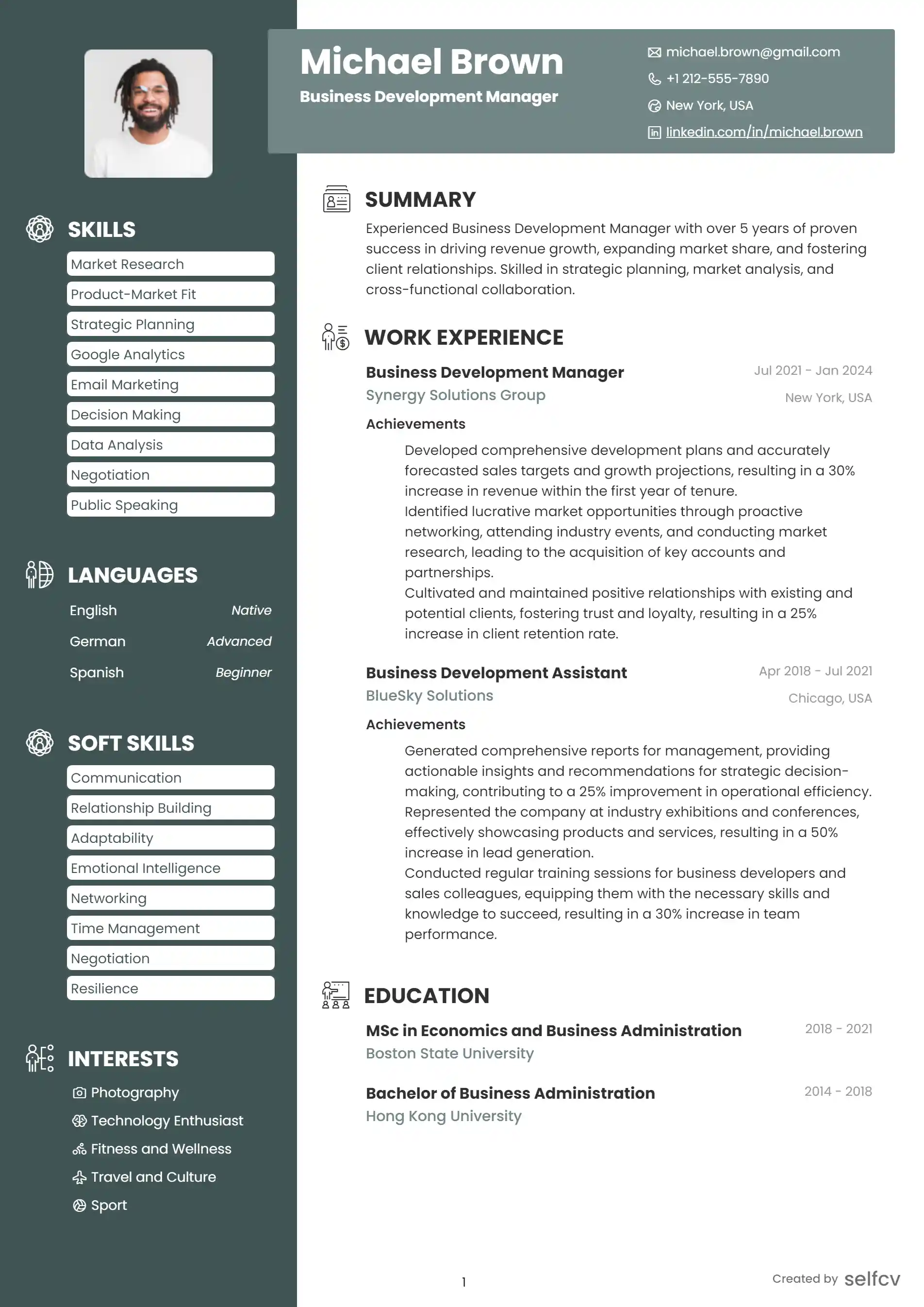
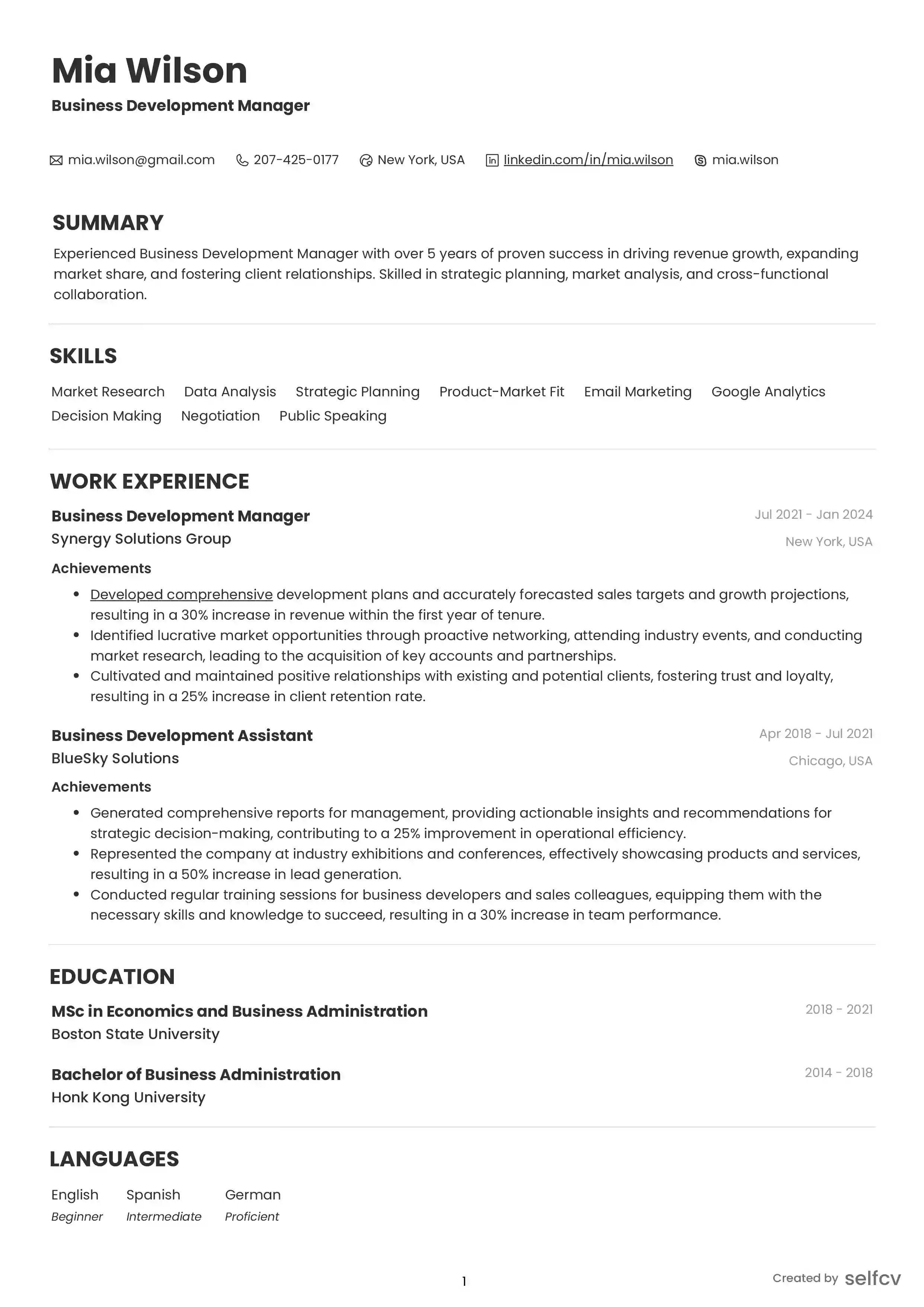
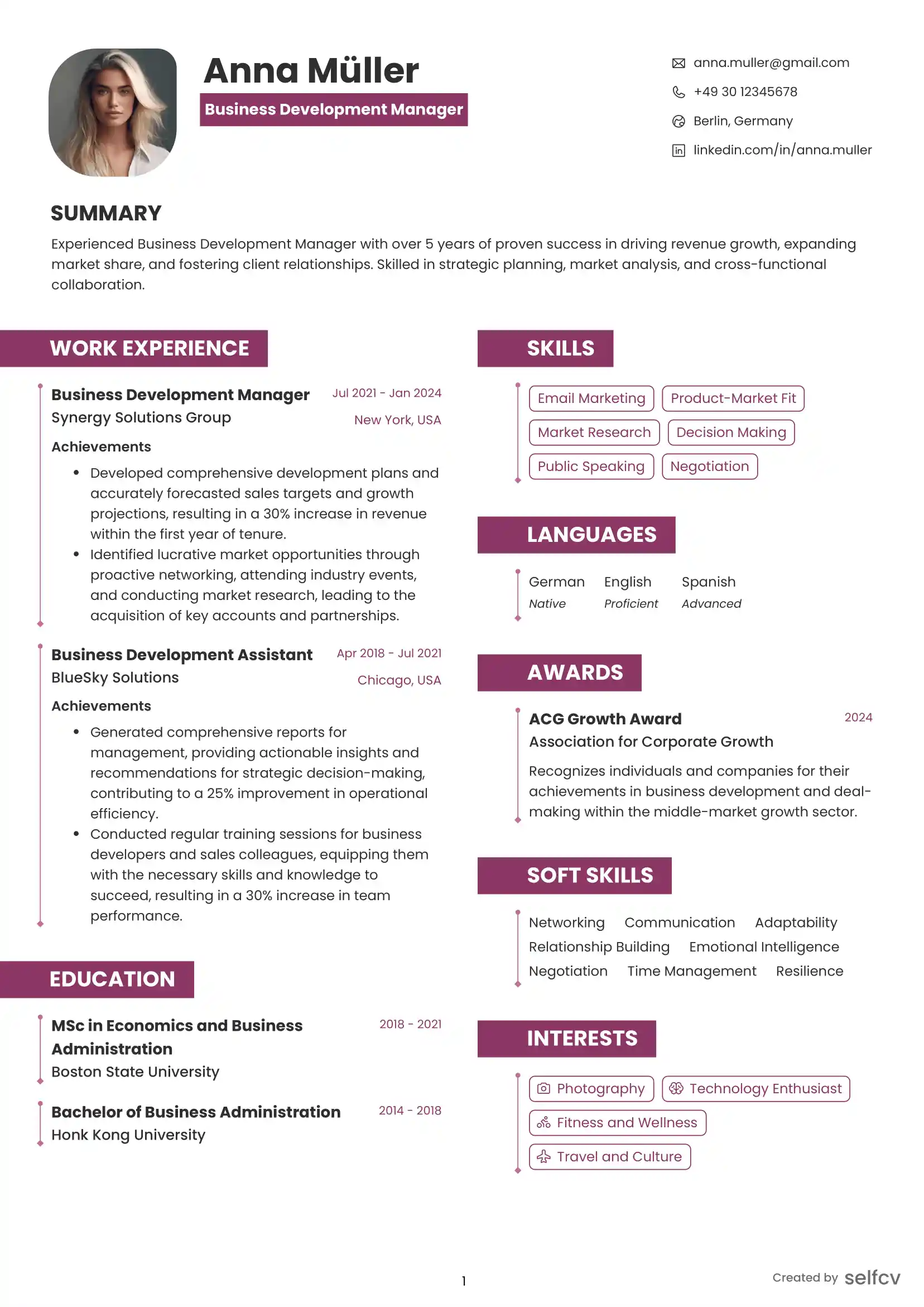
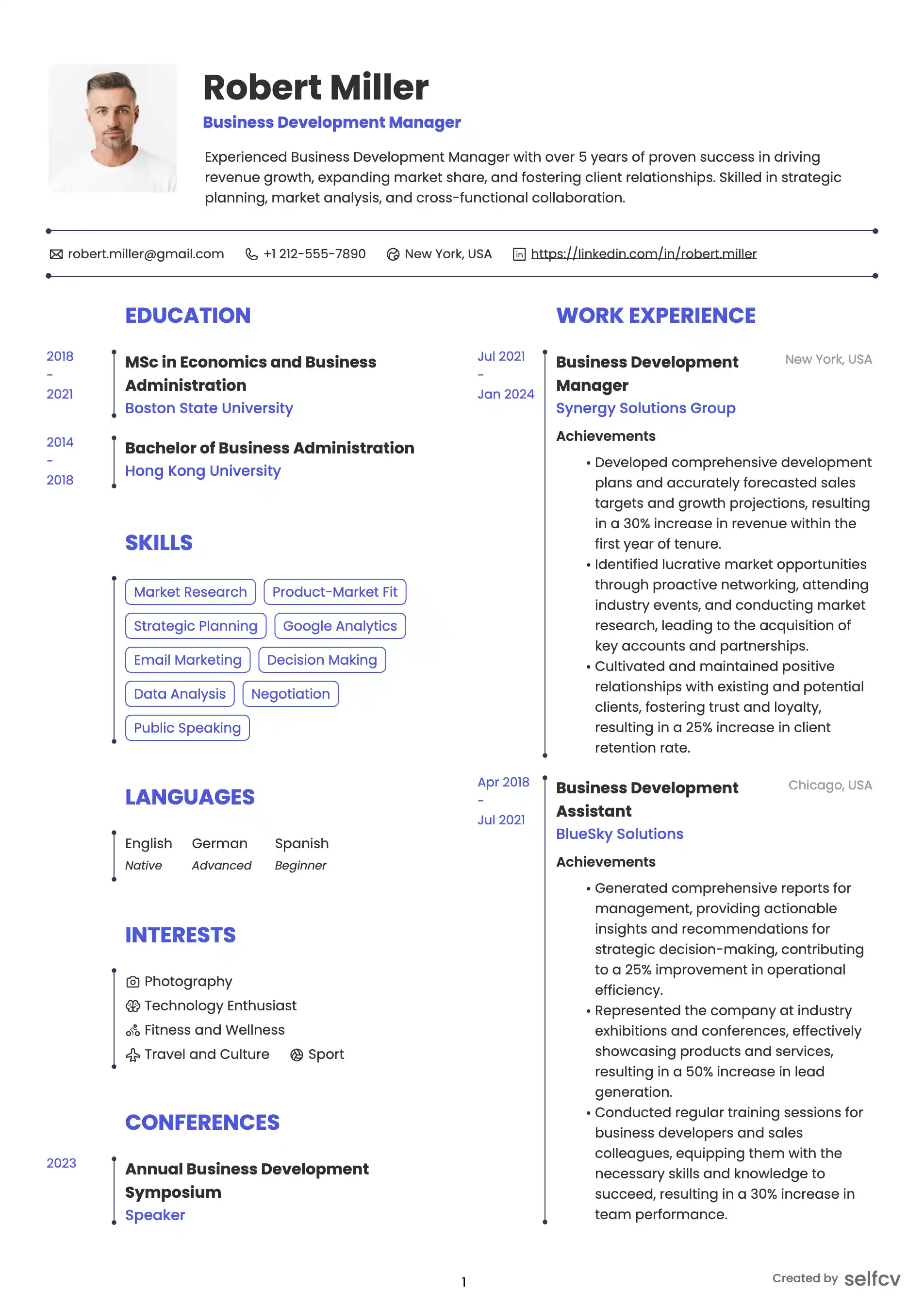
Find the template that’s right for you
No need to build anything from scratch. Using our templates or upload feature, you’ll get started easily and have a powerful resume in a few clicks.
Fix weak accounting bullets before they raise doubt
Weak:\n- Helped with invoices.\n\nStronger:\n- Entered supplier invoices into QuickBooks Online, checked invoice numbers and approval notes, and flagged missing purchase order details before payment review.\n\nWhy it works:\nThe stronger bullet shows the system used, the task performed, the checks completed, and the point where the candidate escalated issues.\n\nWeak:\n- Did Excel work for finance team.\n\nStronger:\n- Updated an Excel accounts receivable tracker with payment dates, overdue balances, customer notes, and follow-up status for weekly finance review.\n\nWhy it works:\nExcel becomes meaningful when the resume explains what the spreadsheet tracked and who used it.\n\nWeak:\n- Responsible for data entry.\n\nStronger:\n- Entered receipt and expense data from scanned documents into Xero, reviewing vendor names, transaction dates, account categories, and totals for consistency.\n\nWhy it works:\nAccounting data entry is about accuracy, not typing speed alone. This version shows the candidate understands the fields that matter.\n\nWeak:\n- Worked with payroll documents.\n\nStronger:\n- Organized confidential payroll forms and checked timesheet packets for missing manager approvals before forwarding them to the payroll coordinator.\n\nWhy it works:\nThe stronger version adds confidentiality, document control, approval checking, and a clear handoff.
Resume summary and objective options
Entry-level Accounting Assistant objective:\nDetail-oriented business graduate seeking an Accounting Assistant role supporting invoice entry, account reconciliation preparation, expense documentation, and financial record organization. Skilled in Excel, QuickBooks Online basics, Xero basics, and careful administrative follow-through.\n\nJunior Accounting Assistant summary:\nJunior Accounting Assistant with hands-on experience in accounts payable support, receipt tracking, vendor file updates, Excel reconciliations, and digital document filing. Comfortable reviewing invoices, matching supporting documents, and escalating discrepancies before posting or payment.\n\nCareer changer from administration:\nAdministrative professional moving into accounting support after managing expense records, vendor emails, purchase documentation, and spreadsheet tracking for office operations. Brings strong organization, confidentiality, Excel skills, and a growing foundation in bookkeeping and accounting software.\n\nCashier or retail-to-accounting objective:\nCash-handling and customer service professional seeking an entry-level Accounting Assistant position. Experienced in balancing tills, processing payments, organizing receipts, resolving transaction differences, and following daily close procedures. Currently building skills in Excel, QuickBooks Online, and basic bookkeeping.\n\nAccounts payable-focused summary:\nAccounts Payable Assistant with experience entering supplier invoices, matching purchase orders, maintaining vendor records, and preparing payment support documents. Careful with invoice details, approval requirements, tax fields, and deadline-driven finance workflows.\n\nAccounts receivable-focused summary:\nAccounts Receivable Assistant with experience tracking customer payments, updating account notes, preparing overdue balance lists, and supporting receipt allocation. Strong Excel, email communication, and financial record organization skills.
Check Your Resume with ATS
Make sure your resume passes Applicant Tracking Systems before recruiters see it.
- 📄 Upload your resume and get instant ATS feedback
- 🎯 Improve keyword matching for your target job
- ⚡ Boost your chances of getting shortlisted
Skill groups that belong on an Accounting Assistant resume
Group your skills in a way that mirrors accounting office work. This helps both ATS screening and human review without turning the resume into a keyword dump.\n\nAccounting support:\nInvoice entry, account coding, purchase order matching, receipt tracking, payment allocation, vendor statement checks, customer account updates, expense report review, petty cash tracking, bank reconciliation preparation, month-end support\n\nAccounts payable:\nSupplier invoices, vendor files, payment terms, approval routing, duplicate invoice checks, purchase orders, credit notes, payment run support, remittance advice, supplier follow-up\n\nAccounts receivable:\nCustomer invoices, receipts, deposits, overdue balances, account notes, unapplied payments, statement preparation, collections support, sales reconciliation\n\nPayroll support:\nTimesheet checks, payroll forms, employee record updates, benefit deduction support, confidentiality, approval tracking, payroll report filing\n\nSoftware and tools:\nQuickBooks Online, Xero, Sage, NetSuite, SAP, Oracle, Microsoft Excel, Google Sheets, Outlook, Gmail, SharePoint, Google Drive, PDF tools, scanner workflows, document management systems\n\nExcel and spreadsheet skills:\nFilters, sorting, formulas, SUMIF, VLOOKUP or XLOOKUP, pivot tables, conditional formatting, data validation, reconciliation worksheets, clean spreadsheet formatting\n\nOffice and communication skills:\nVendor emails, customer follow-up, phone etiquette, filing, document naming, deadline tracking, inbox organization, calendar reminders, written notes, professional escalation\n\nAccuracy and control habits:\nReviewing totals, checking dates, matching names, preserving source documents, following approval steps, flagging discrepancies, protecting confidential information, avoiding unsupported changes
Training, education, and certificates to list carefully
For entry-level Accounting Assistant roles, employers often accept a range of backgrounds. A degree can help, but many candidates enter through diplomas, bookkeeping courses, office administration programs, internships, apprenticeships, retail cash-handling roles, or finance administration experience.\n\nRelevant education:\n- Accounting diploma or certificate\n- Business administration diploma\n- Associate degree in accounting or finance\n- Bachelor degree in accounting, finance, business, economics, or related field\n- High school or secondary education plus bookkeeping, office, or finance coursework\n\nRelevant coursework:\nFinancial accounting, bookkeeping, payroll basics, business math, spreadsheet applications, accounting information systems, business communication, taxation basics, auditing basics\n\nUseful training and certificates:\nQuickBooks Online training, Xero training, Sage training, Microsoft Excel certification, bookkeeping certificate, payroll fundamentals, accounts payable training, accounts receivable training, data entry or office administration training\n\nHow to present unfinished education:\nUse clear wording. For example: Diploma in Accounting, expected completion 2026. Or: Completed coursework in financial accounting, Excel, and payroll administration. Do not imply a completed degree or certification if it is still in progress.\n\nLocation-sensitive note:\nAccounting Assistant roles are usually not licensed in the same way as professional accountant roles, but requirements can vary by country, employer, and industry. Payroll, tax, government, healthcare, banking, and audit-support roles may require specific local knowledge, background checks, privacy training, or compliance procedures. Verify the requirements in the job posting and your local market before applying.
Advice for entry-level candidates with limited accounting experience
If you do not yet have an Accounting Assistant title, build the resume around transferable proof. Finance teams care about accuracy, confidentiality, deadlines, numbers, documents, and communication. Many jobs can demonstrate those qualities.\n\nUse retail or cashier experience when it includes:\n- Cash drawer balancing\n- Payment processing\n- Refund documentation\n- End-of-day close steps\n- Receipt organization\n- Discrepancy reporting\n\nUse administrative experience when it includes:\n- Vendor communication\n- Purchase records\n- Expense forms\n- Filing systems\n- Spreadsheet tracking\n- Invoice routing\n- Confidential documents\n\nUse school or training projects when they include:\n- Journal entries\n- Trial balances\n- Bank reconciliation practice\n- Accounts payable or receivable exercises\n- Excel reconciliation worksheets\n- Accounting software simulations\n\nUse volunteer experience when it includes:\n- Treasurer support\n- Donation tracking\n- Receipt logs\n- Budget spreadsheets\n- Reimbursement records\n- Event expense tracking\n\nA strong entry-level resume does not pretend you have done everything. It shows that you understand the work, can follow procedures, and are ready to handle supervised accounting tasks carefully.
Advice for junior candidates ready for the next step
If you already have accounting support experience, your resume should show growth beyond basic data entry. Employers want to see that you understand the accounting cycle around your tasks.\n\nShow progression from entering records to checking records:\nInstead of only saying you entered invoices, show that you reviewed invoice numbers, supplier details, purchase orders, tax amounts, approvals, and duplicate records.\n\nShow progression from filing to retrieval:\nInstead of saying you filed documents, show that your filing system helped month-end review, audit requests, vendor questions, or payment approvals.\n\nShow progression from assisting to owning a routine:\nFor example, you may own the weekly overdue balance list, the vendor statement checklist, the expense packet review, or the daily deposit comparison before a supervisor posts final entries.\n\nShow comfort with deadlines:\nMention weekly payment runs, daily cash reconciliation, month-end support, payroll cutoffs, invoice processing windows, or customer statement cycles when accurate.\n\nShow judgment:\nA junior Accounting Assistant is not expected to make every accounting decision alone. Strong resumes show that the candidate knows when to escalate unusual transactions, missing approvals, mismatched totals, duplicate invoices, or unclear account codes.
Extra sections that can help without cluttering the page
Add optional sections only when they make you easier to hire.\n\nAccounting software practice:\nUseful if you are new to the field. List QuickBooks, Xero, Sage, or Excel practice only when you can explain what you did in the tool.\n\nBookkeeping project:\nA small project can help entry-level candidates. Example: created a sample bookkeeping file with customer invoices, supplier bills, expense categories, bank reconciliation practice, and monthly financial reports.\n\nVolunteer finance support:\nTreasurer assistant, club finance volunteer, nonprofit receipt tracker, event budget helper, or donation recordkeeper can be relevant if described professionally.\n\nLanguage skills:\nUseful for companies serving multilingual vendors, customers, employees, or regional offices.\n\nIndustry familiarity:\nRetail, hospitality, healthcare, construction, property management, education, logistics, and nonprofit experience can help when the employer operates in that field.\n\nAvailability:\nFor entry-level jobs, it may be helpful to mention immediate availability, part-time availability, internship eligibility, or willingness to work onsite when the job posting values it.\n\nDo not add hobbies unless they connect to finance, administration, volunteer leadership, or disciplined recordkeeping.
Mistakes that make accounting resumes look risky
Accounting Assistant resumes are judged partly on trust. Avoid anything that suggests carelessness with records or numbers.\n\nInconsistent dates or formatting:\nIf spacing, punctuation, or dates are messy, the reader may worry that your invoice entry will be messy too.\n\nVague responsibility lines:\nHandled accounting tasks does not tell the employer what you actually did. Name invoices, receipts, statements, expense reports, vendor files, bank deposits, payroll forms, or spreadsheets.\n\nOverclaiming accountant-level duties:\nDo not say you prepared financial statements, managed tax filings, or owned payroll if you only gathered documents or supported a supervisor. Be accurate about your role.\n\nListing software without context:\nQuickBooks, Xero, Sage, and Excel are stronger when tied to tasks such as invoice entry, vendor file updates, reconciliation worksheets, or report exports.\n\nIgnoring confidentiality:\nFinance roles involve employee, vendor, customer, banking, and payroll information. Mention confidential record handling when you have real experience.\n\nUsing inflated numbers:\nA claim such as saved the company millions will not help an entry-level Accounting Assistant unless it is specific and provable. Practical numbers are better: invoices per week, reports prepared, statements checked, days in a payment cycle, or number of account records updated.\n\nLeaving out approvals and controls:\nAccounting work depends on process. Show that you follow approval steps, keep backup documents, flag mismatches, and do not make unsupported changes.
Accounting Assistant resume questions candidates actually ask
Can I get an Accounting Assistant job with no experience?\nYes, many entry-level roles are open to candidates with the right foundation, but your resume must show transferable proof. Cash handling, spreadsheet tracking, office administration, invoice routing, expense documentation, bookkeeping coursework, and volunteer treasurer work can all support an entry-level application.\n\nShould I use Accounting Assistant or Accounts Assistant on my resume?\nUse the title that matches the job posting and your market. Accounting Assistant is widely understood in global English-speaking markets, while Accounts Assistant is common in some regions. If both are relevant, you can use one as your target title and include the other naturally in your summary or skills.\n\nHow important is Excel for an Accounting Assistant resume?\nExcel is very important for many junior finance roles. You do not need to be a financial modeler, but you should show practical skills such as sorting, filtering, formulas, lookup functions, pivot tables, reconciliation worksheets, and clean spreadsheet formatting when you can use them confidently.\n\nDo I need QuickBooks or Xero experience?\nNot always, but it helps. If the job asks for a QuickBooks Accounting Assistant or Xero experience, include the software only if you have used it in work, training, or a project. Be specific about the task, such as entering bills, updating vendor records, creating invoices, exporting reports, or practicing bank reconciliation.\n\nWhat should a Junior Accounting Assistant put in the experience section?\nUse bullets that show invoice support, accounts payable, accounts receivable, expense checks, filing, payment tracking, bank statement comparison, vendor communication, payroll support, or spreadsheet work. If your past job was not in accounting, translate it into finance-relevant evidence such as balancing cash, organizing records, checking details, and meeting deadlines.\n\nShould I include payroll on my Accounting Assistant resume?\nInclude payroll only if you have real exposure. Payroll support can be valuable, but it also involves confidentiality and local rules. Good wording includes checked timesheets for missing approvals, organized payroll forms, or filed payroll reports under supervision.\n\nHow can I make an Accounting Assistant resume ATS-friendly?\nUse clear job titles, plain section headings, and keywords from the posting when they match your experience. Relevant terms may include Accounting Assistant, Accounts Assistant, Finance Assistant, Accounting Clerk, accounts payable, accounts receivable, payroll support, reconciliation, invoice processing, QuickBooks, Xero, Excel, vendor records, and expense reports. Keep the wording natural so a human reader still trusts it.
Final checklist before applying
- Use the Accounting Assistant title in the resume where it fits the target job.\n- Show accounting tasks through specific records: invoices, receipts, statements, purchase orders, expense reports, deposits, vendor files, and payroll forms.\n- Pair software names with real tasks, especially QuickBooks, Xero, Sage, Excel, Google Sheets, NetSuite, SAP, or Oracle.\n- Make accuracy visible through checking, matching, reconciling, flagging discrepancies, and following approval steps.\n- Keep entry-level claims honest. Supervised support work is valuable when described clearly.\n- Include education, coursework, software training, or bookkeeping projects if your professional experience is limited.\n- Proofread the resume as if it were a financial record. Names, dates, totals, spacing, and contact details should be correct.
Why job seekers choose selfcv
Thousands of professionals use selfcv to build modern, ATS-friendly resumes, customize templates, and apply for jobs with confidence.
Thanks to SelfCV, I now have a professional and polished resume that I'm confident in sending to potential employers. I will definitely be recommending your service to other job seekers. Keep up the great work!
SelfCV offers an intuitive interface that makes creating a professional CV straightforward. Whether you're a student, a fresh graduate, or an experienced professional, the step-by-step process ensures that users of all levels can craft an impressive CV.
Easy to use resume builder. They have very intuitive ui for customizing and keeping multiple versions of resume.
The right tool for creating CVs. As a student I was looking for a tool that could help me quickly create a CV for internship applications. This was just the right tool. I am very satisfied!
This is one of the best tools I’ve ever used - I was able to build my CV in seconds with high quality template. Highly recommended!
Amazing app with easy user experience. Loved it. Its intuitive and easy to navigate, designs are very nice.
