
Desktop Support Resume Example
What does a Desktop Support do?
A Desktop Support provides technical assistance to end-users by troubleshooting hardware and software issues. They typically work in office or IT environments using diagnostic tools and support ticket systems. They collaborate closely with IT teams and other departments to ensure smooth technology operations.
What are some responsibilities of a Desktop Support?
A Desktop Support resolves user technical problems related to desktops, laptops, and related peripherals. They prioritize and manage support tickets, escalate complex issues when necessary, and maintain documentation of incidents. Their proactive support helps minimize downtime, contributing to overall business productivity.
Desktop Support Skills for a Resume
Relevant soft skills include communication, patience, problem-solving, teamwork, attention to detail, and time management. Key hard skills include hardware troubleshooting, software installation and configuration, network connectivity troubleshooting, proficiency in operating systems like Windows and macOS, use of ticketing systems, and basic scripting knowledge.
- Effective Communication
- Patience and Empathy
- Problem-Solving
- Team Collaboration
- Attention to Detail
- Time Management
- Hardware Troubleshooting
- Software Installation and Configuration
- Network Connectivity Troubleshooting
- Proficiency with Windows and macOS Operating Systems
- Use of Support Ticketing Systems
- Basic Scripting (e.g., PowerShell, Bash)
- Documentation and Knowledge Base Management
- Use of Remote Desktop Tools
- Security Awareness and Compliance
- System Backup and Recovery Procedures
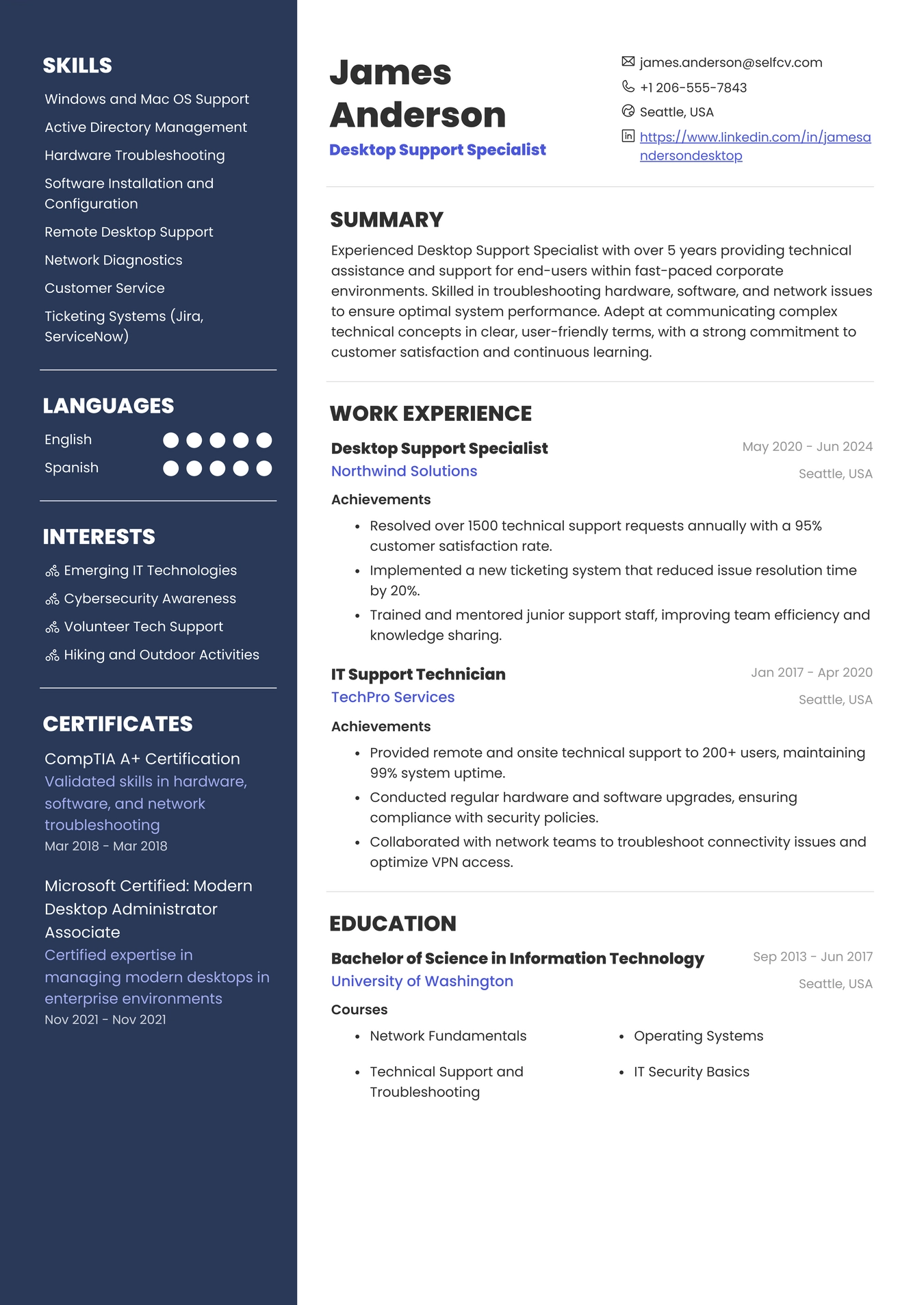
Example Resume for Desktop Support
Common Mistakes to Avoid When Writing a Desktop Support Resume
Candidates often list outdated technologies that are no longer relevant or use generic job descriptions without highlighting specific accomplishments. Failing to include measurable outcomes, neglecting to tailor the resume to the job posting, and omitting important certifications like CompTIA A+ reduces their chances. Additionally, unclear formatting and lack of focus on relevant technical skills can weaken the resume.
Key Takeaways for a Desktop Support Resume
A strong Desktop Support resume emphasizes hands-on technical experience and problem-solving abilities. It clearly shows measurable achievements and is tailored to match the job requirements, balancing technical skills with effective communication and teamwork.
- Highlight hands-on experience relevant to the Desktop Support role.
- Use measurable results to demonstrate achievements and impact.
- Add relevant certifications or completed courses related to Desktop Support.
- Tailor each resume to the specific job posting.
- Balance technical expertise with communication and teamwork skills.
More than a resume builder
Get startedFind the template that’s right for you
No need to build anything from scratch. Using our templates or upload feature, you’ll get started easily and have a powerful resume in a few clicks.


Check Your Resume with ATS
Make sure your resume passes Applicant Tracking Systems before recruiters see it.
- 📄 Upload your resume and get instant ATS feedback
- 🎯 Improve keyword matching for your target job
- ⚡ Boost your chances of getting shortlisted

